Using LCD device.
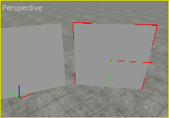
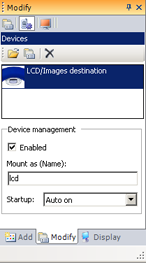
LCD are attached to physics or 3-D render geometries. The LCD replace parent's object texture properties by the device ones (texture, lengths, mapping mode ...). The screen shots are from [Samples Directory]/devices/LCD sample.
|
Step |
Description |
|
 |
|
 |
|
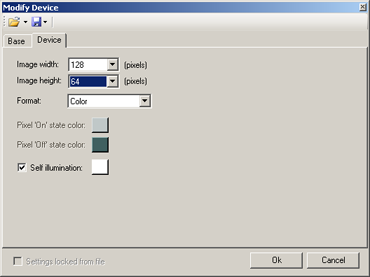
Double-click on the device for open the settings dialog box: Image width: LCD's image width (pixels) Image height: LCD's image height (pixels) Format: LCD can display its matrix in color mode (X8R8G8B8) or monochrome monde. Pixel 'On' state: On-Pixels color (if LCD format is set to mono) Pixel 'Off' state: Off-Pixels color (if LCD format is set to mono) Self Illumination: LCD ambient color. If no color is defined, the LCD is using the parent's object ambient color. |
 |
|
|
|
Documentation v4.7 (18/01/2015), Copyright (c) 2015 anyKode. All rights reserved.
|
|
What do you think about this topic? Send feedback!
|


 Description